YouTube and Twitch
The bot posts an announcement as soon as a streamer you follow goes live on Twitch. When the stream ends, the announcement is updated with the game and how long the stream lasted.
First enter
/enablefeature Twitch.Set the channel with
/twitch setchanneland the ping role with/twitch setrole.Add the streamers with
/twitch adduser.
If you just type /twitch (and don't press enter), you can see all of Twitch's customizable features:
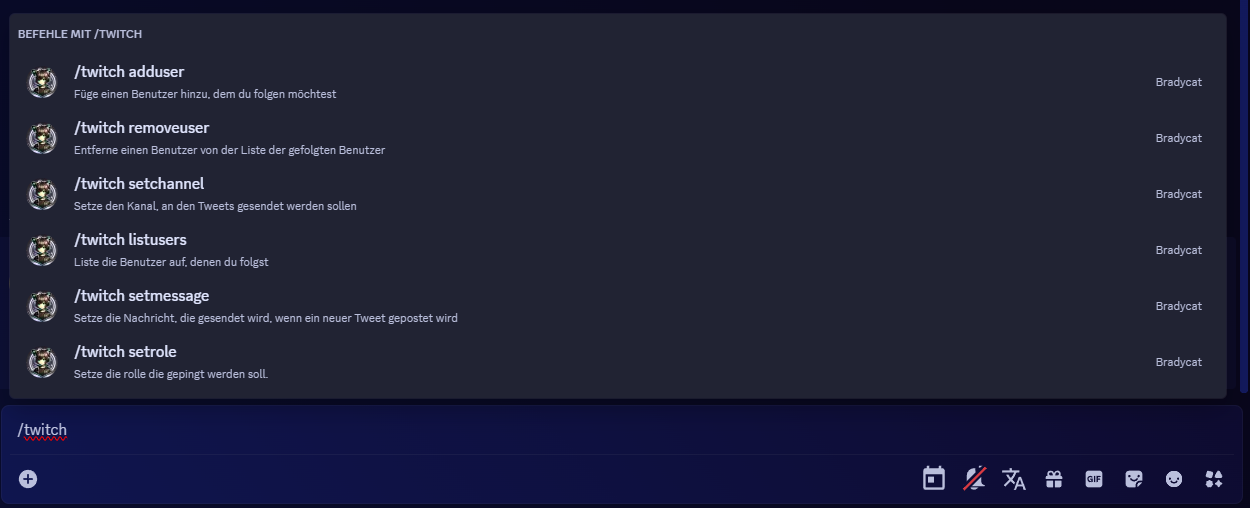
/twitch adduser
Since the bot cannot guess which users it should follow, you must add them with this command.
/twitch listusers
This allows you to see which channels the bot is following.
/twitch removeuser
Here you simply enter the username that you no longer wish to follow.
/twitch setchannel
Here you simply enter the channel where the livestream announcements should be posted.
/twitch setmessage
Opens a small form where you can write the message that appears above the announcement.
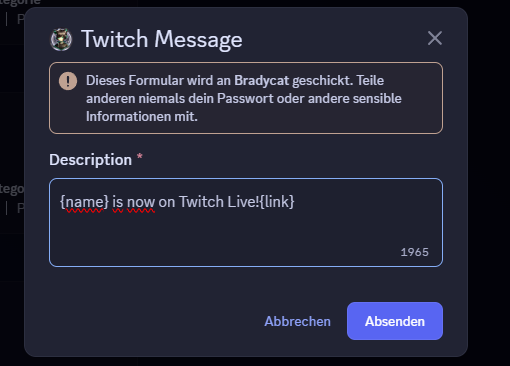
{name} for the username
{link} for the link
{role} for the ping role
/twitch setrole
Here you simply enter the role that is to be pinged.